
This guide will help you get started with PandaAGI in two ways: using the ready-made chat interface for immediate results or integrating the SDK in your Python code for custom applications.
- Quick start (UI)
- Developer Setup (SDK)
1
Get API Key
1. Visit https://agi.pandas-ai.com/ and sign in with GitHub
2. Access your dashboard to get your API key
3. Copy your API key for the next step
2
Launch Chat Interface
The fastest way to experience PandaAGI is through our ready-made chat interface:This launches a production-ready chat interface at http://localhost:3000
3
Start Chatting
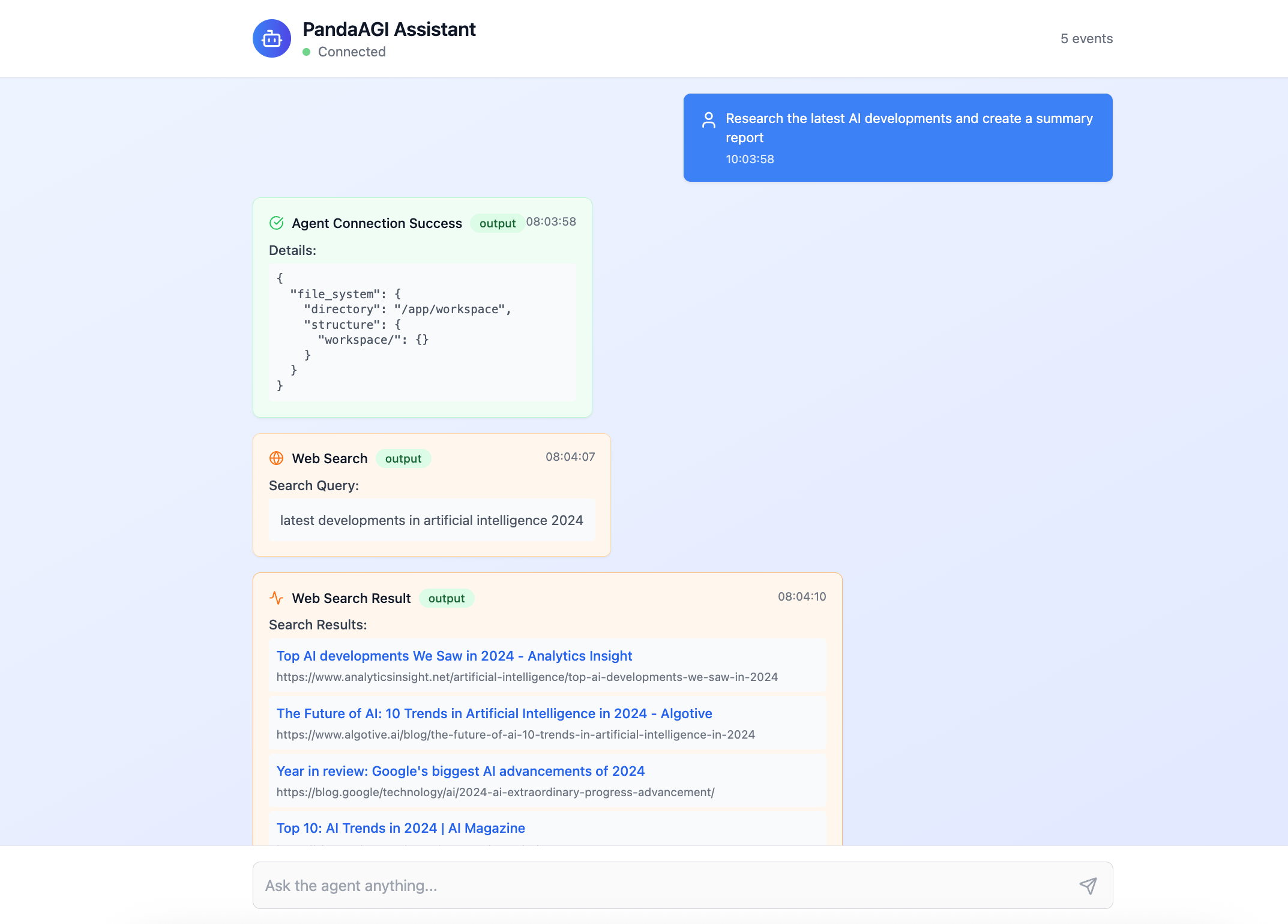
- “Research the latest AI developments and create a summary report”
- “Analyze this CSV data and create visualizations” (after uploading a file)
- “Design a database schema for an e-commerce platform”
Working with the SDK
The PandaAGI SDK connects you to a pre-configured autonomous general AI agent with built-in capabilities for web browsing, file system access, and code execution. You simply submit tasks and receive results:Quick introduction to use the SDK
Try it out yourself!

Working with the Chat Interface (UI)
PandaAGI Chat Interface
- Quickly demonstrating AI capabilities to stakeholders
- Testing different prompts and use cases
- Providing a polished UI for non-technical users
- Learning how the agent thinks and uses tools
Features of the Chat UI
Real-time Streaming
See agent responses, thinking, and actions as they happen
File Upload
Upload files for the agent to analyze or process
Conversation History
Maintain context across multiple interactions
Mobile Responsive
Works seamlessly on desktop and mobile devices
Running the Chat Interface
- Docker Setup (Recommended)
- Manual Setup
Advanced Configuration
Custom Environment
You can configure your AI agent with different execution environments:Conversation Management
Manage conversation state for multi-turn interactions:Accessing Agent Attachments
TheAgentResponse object provides access to files created or referenced by the agent:
Event Handling
Filter and process specific event types for custom UIs:Next Steps
Now that you’re up and running with PandaAGI, explore these resources to learn more:Chat Interface
Build your own agentic chat application
Skills
Extend your agent’s capabilities with custom functions
Knowledge
Guide your agent’s behavior with contextual information